A new iPhone, is coming up, guess many Android users will jump ship to iPhone 7. If you are one of them, or just have an Android phone and an iPhone at the same time, you will definitely need to know to send those messages to another deivce. The problem is, how? Are you going to back up your phone, say, Samsung Galaxy, and then sync them to iDevice? The way I see it, this method is not simple enough and we should use software to migrate and save the texts from Android to iPhone in batches. What's more, it better be free. Luckily, Mobile Transfer and Move to iOS meet all our requirements. Let's check out both methods one by one.
People Also Read:
- How to Transfer Data from Android to iPhone
- Multiple Ways to Switch Contacts from S6/S7 to Galaxy S8
Resort 1: Export Messages from Android to iPhone with Ease via Mobile Transfer
No need to copy your text messages manually, Mobile Transfer enables you to move data between different platforms with just a few clicks. The contents include the date when you received and sent them, and, of course, the messages themselves. Also, it's easy to transfer text messages from Android to computer.
Download by tapping the buttons below.
Note: iTunes should be installed in your computer first, or Mobile Transfer could not work with iPhone.
Step 1. Launch Mobile Transfer
Set up the software first. When it is done, double click the icon. Now you can see the window, choose the blue section "Phone to Phone Transfer".
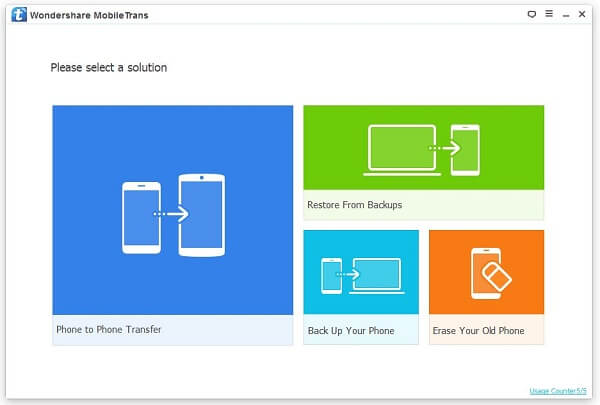
Step 2. Plug Galaxy S6 and iPhone 7 into the Computer with USB Cords
Connect Android and then, iPhone. They will be automatically detected as "Source Phone" and "Destination Phone". (If the places are wrong, you can "Flip" to switch them.)
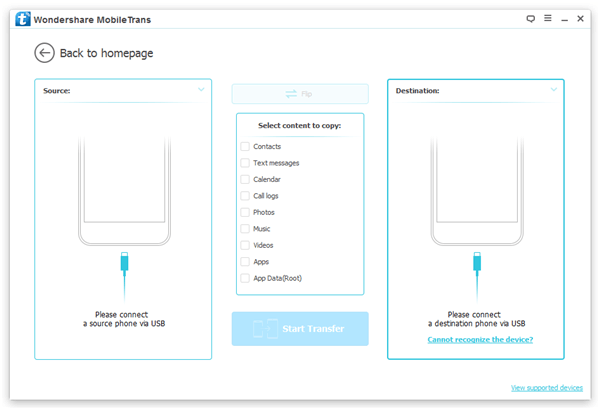
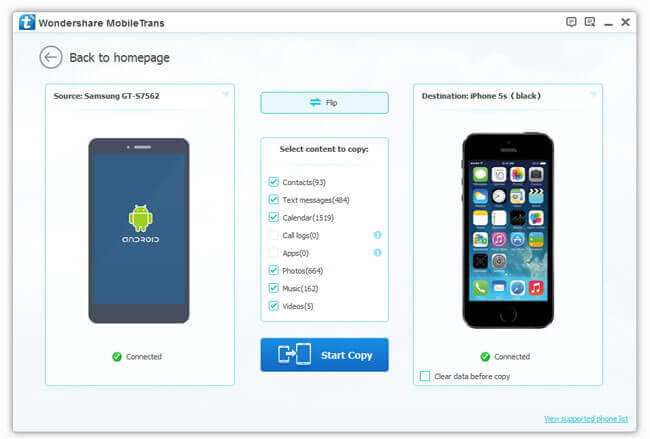
Note: The option "Clear data before copy" is for you to erase the handset, "Destination Phone".
Step 3. Tick to Choose Android SMS
As you can see, contacts, text messages, call logs and many other things are movable. Since our issue is to migrate SMS only, we will check the corresponding box and press "Start Copy".
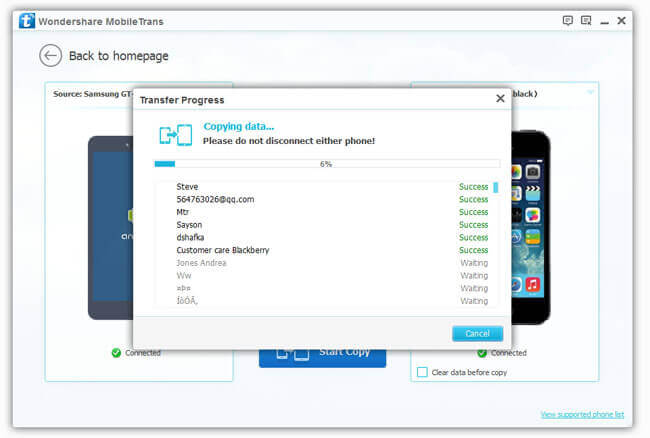
All done, click "OK".
Resort 2: Transfer Text Messages to iDevice through Move to iOS App
Another resort is Move to iOS app, which is Apple's official app for settling down transfer problems. However, it works most for iPhone that has not yet been set up. If you have set up your new iDevice, I'm afraid you have to erase all the content in the first place or try the first method mentioned above. Now, let's scroll down and learn something about Move to iOS before practice.
Supported Operating System:
- Android version 4.0 and later
- iOS 9 and later
Supported Devices:
- Most models of Android phones
- iPhone 5/5s/SE/6/6 plus/6s/6s plus and later
- iPad 4th generation or later
- iPad mini 2nd generation or later
- iPod touch 6th generation
Requirements:
- Both devices have been fully charged.
- Both devices are connecting to a good Wi-Fi network.
Tutorial on Move to iOS:
Step 1. Download Move to iOS on your Android phone.
Step 2. Follow iOS setup instructions until the "App & Data" Screen.
Step 3. Tap "Move Data from Android" on iPhone.
Step 4. Read carefully the terms on both devices and tap "Continue" to proceed.
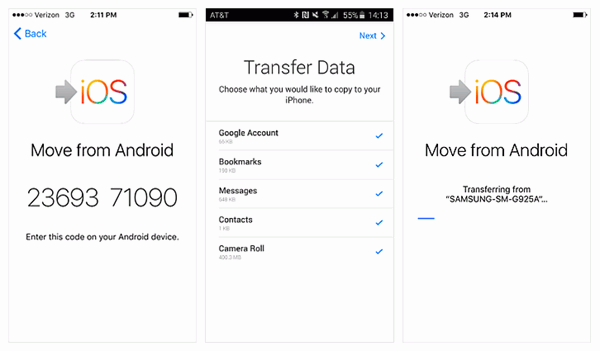
Step 5. Type the 10-digit code showed on iPhone screen into Android.
Step 6. Choose "Messages" on Android and tap "Next" button to start transferring.
Step 7. Wait till the process bar completes and check out SMS on iPhone.
I would not miss these two simple workrarounds if I were you. With it, you can also send Android SMS to iPhone and import SMS from Android to iPhone. Check it out and feel how science & technology has changed our life. To import SMS from iPhone to Android, see more on our website.