Many people enjoy listening to music with mobile phone while jogging, taking subways or buses. And as we all know, the two most favorite brands in the cell phone market today, the iOS and Android almost cover every corner of the world. You may switch from Android to iPhone or in turn. So you have to transfer music between phones. And it is headache to transfer music between two phone operate different systems.
In fact, here is just a very useful and professional program for you, which is called TunesGo. With help of the program, you can not only transfer music, you can also search, download and manage music and videos on iTunes, Android and iOS in just one click. Make sure you have set up iTune on your computer.
Free download the trial version of the program:
Two Steps to Transfer Music from Android to iPhone/iPod
Step 1. Download and Install TunesGo on PC
Just click to launch this smart program on your computer and enter its homepage, so you can view the screen of TunesGo which also displays its functions on the right side.
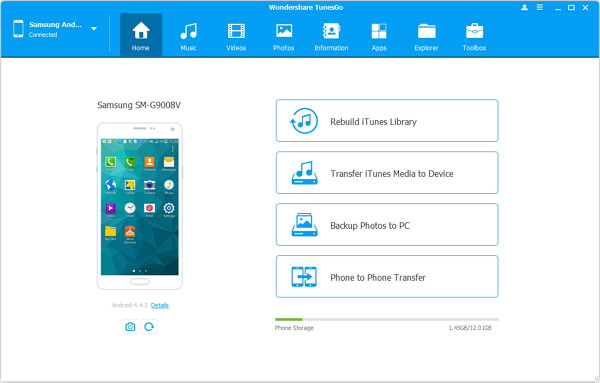
Step 2. Get Devices Connected to PC
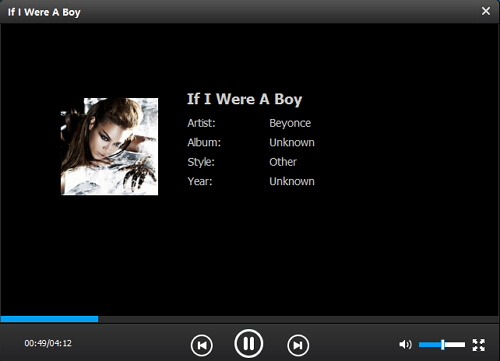
If you do not connect phones to computer, you just can add and listen to music and videos on the PC with TunesGo, but if you plug the devices into it, you are allowed to manage your phone music with this program as you like.
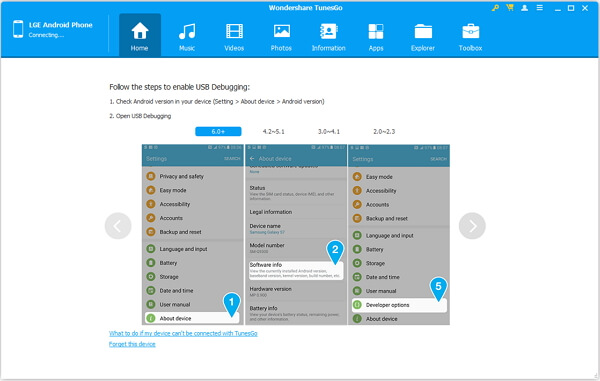
Note: Do not forget to allow USB debugging mode on the Android phone while the iOS device is not needed.
Step 3. Copy Android Music to iOS Device
Go to "Music" and your songs on the Android will be listed. Pick the songs you want and press "Export" button on the top and choose iPhone or iPod to transfer to.
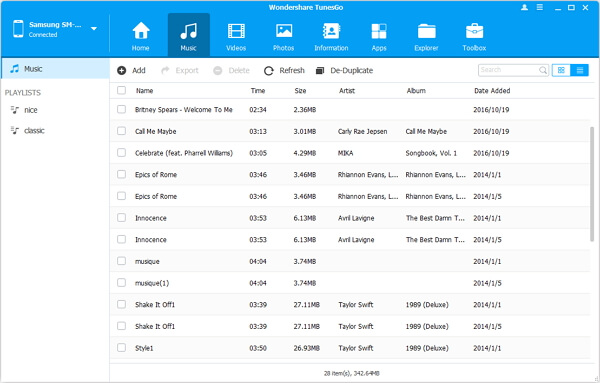
Note: When the songs are transferred, you can preview the results on TunesGo. Moreover, it also could help you fix the tags of the songs when the details are not completed, such as the genre, album, artist, etc. Just use the pen icon behind the songs and press "Identify".
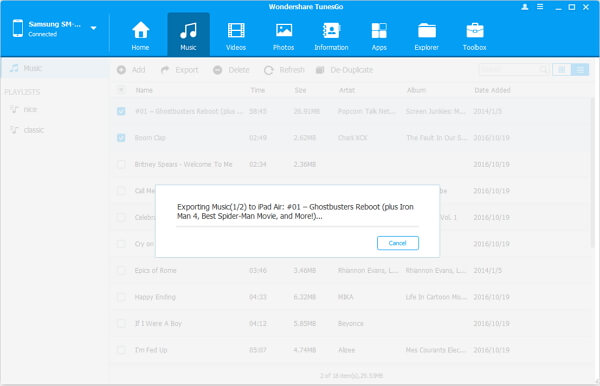
As you see, TunesGo is so easy to use. And it is also professional and efficient in this way as well as in switching songs from iPod to Android.